

What the skills can do
The platform lists 2 Azure skills, each added to an agent separately. All are HTTP APIs described by OpenAPI specs, not MCP servers:- Azure Blob Storage: 52 actions. Calls go to the server address you enter when connecting and carry an API key in the
Authorizationheader. - Azure Storage: 65 actions. Calls go to the server address you enter when connecting and carry an API key in the
Authorizationheader.
What the Azure Blob Storage skill can do
API connector: 52 actions, as they appear in the skill panel. 36 of them create, change or delete something in Azure Blob Storage; mark those under These actions need approval when you add the skill to an agent.- Container management (8): Manage Set Container Access Policy, Manage Set Container Metadata, Manage Restore Container, Manage Delete Container, Manage Get Container Access Policy, Manage Get Container Properties, Manage Create Container, Manage Get Container Metadata
- Blob storage (8): Download Blob, Upload Blob, Delete Blob, Create Blob Snapshot, Undelete Blob, Set Blob Properties, Query Blob Contents, Set Blob Expiry
- Immutability and legalhold (5): Delete Blob Immutability Policy, Set Blob Legal Hold, List Blobs In Container, Set Blob Immutability Policy, Container Manage List Containers
- Blob tagging service (4): Tags Filter Blobs By Tags Account, Tags Filter Container Blobs By Tags, Tags Set Blob Tags, Tags Get Blob Tags
- Blob service configuration (4): Config Get Service Properties, Config Get Service Stats, Config Get Account Information, Config Set Service Properties
- Block blob operations (4): Stage Block From Url, Stage Block, Get Block List, Commit Block List
- Blob copy service (4): Abort Blob Copy, From Url Sync, Incremental Copy Blob, From Url
- Append blob operations (3): Block From Url, Seal Append Blob, Block
- Page blob operations (3): Get Page Ranges, Put Page, Put Page From Url
- Lease coordination (2): Manage Container Lease, Manage Blob Lease
- Batch operations (2): Submit Account Batch, Submit Container Batch
- Blob metadata service (2): Get Blob Metadata, Set Blob Metadata
- Blob tiering service (1): Set Blob Tier
- Delegation key service (1): Get User Delegation Key
- Blob (1): Get Blob Properties
What the Azure Storage skill can do
API connector: 65 actions, as they appear in the skill panel. 40 of them create, change or delete something in Azure Storage; mark those under These actions need approval when you add the skill to an agent.- Blob container service (9): Delete Container By Id, Update Container By Id, List Containers, Get Container By Id, Lease Container By Id, List Blob Services, Get Blob Service Properties, Set Blob Service Properties, Create Container By Id
- Immutability and legal hold (7): Migrate Version Immutability, Get Immutability Policy, Set Immutability Policy, Lock Immutability Policy, Set Legal Hold, Clear Legal Hold, Delete Immutability Policy
- Object replication policy (6): Account Manage Get Account By Id, Delete Policy By Id, Account Manage List Accounts By Subscription, Account Manage List Accounts By Resource Group, Set Replication Policy By Id, List Replication Policies
- File share service (6): List File Shares, Set File Service Properties, Delete Share By Id, Get File Service Properties, Get Share By Id, Create Share By Id
- Lifecycle and inventory policy (6): Get Inventory Policy, Get Lifecycle Policy, Set Inventory Policy, Set Lifecycle Policy, Delete Inventory Policy, Delete Lifecycle Policy
- Access key and sas (5): Create Service Sas Token, Regenerate Account Key, Create Account Sas Token, List Account Keys, Revoke User Delegation Keys
- Queue service (5): Manage List Queues, Manage Create Queue By Id, Manage Delete Queue By Id, Manage Get Queue Service Properties, Manage Set Queue Service Properties
- Storage account management (4): Manage Create Or Replace Account, Manage Delete Account By Id, Manage Update Account By Id, Manage Check Name Availability
- Encryption scope service (4): List Encryption Scopes, Get Scope By Id, Create Or Replace Scope, Update Scope By Id
- Private endpoint connection (4): List Connections, List Link Resources, Set Connection By Id, Delete Connection By Id
- Table service (4): Manage List Tables, Manage Create Table By Id, Manage Delete Table By Id, Manage Get Table Service Properties
- Provider metrics and sku (3): Usage Metrics List Usages By Location, List Skus By Subscription, Metadata List Provider Operations
- Failover and restore (2): Migration Failover Account, Migration Restore Blob Ranges
Authentication Options
Azure’s management API accepts only Microsoft Entra ID (Azure AD) bearer tokens; there are no static API keys. The recommended setup is a service principal scoped to your subscription.- Service Principal (recommended)
- Azure CLI (quick test)
Create a service principal
- Log in to the Azure portal and open Cloud Shell (the terminal icon in the top bar). Select Bash, and on first use pick No storage account required with your subscription.
-
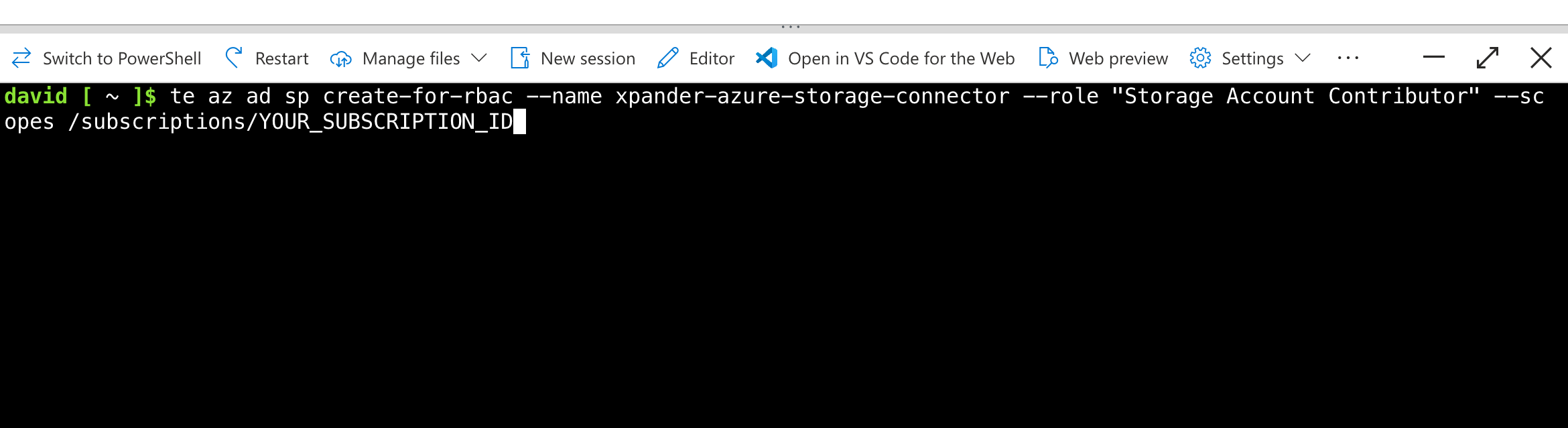
Run the following command (replace
YOUR_SUBSCRIPTION_IDwith your subscription ID, visible under Subscriptions in the portal). TheStorage Account Contributorrole grants access to storage management only, not the rest of your subscription:
- Copy the output; you’ll need
appId,password, andtenant:
Mint an access token
Exchange the service principal credentials for a management-API bearer token:access_token value is the API key you paste into xpander.Azure bearer tokens expire after about 1 hour. Re-run the token command and update the connection when it expires. Automatic token refresh for service principals is on the xpander roadmap.
Connect Azure Storage in xpander
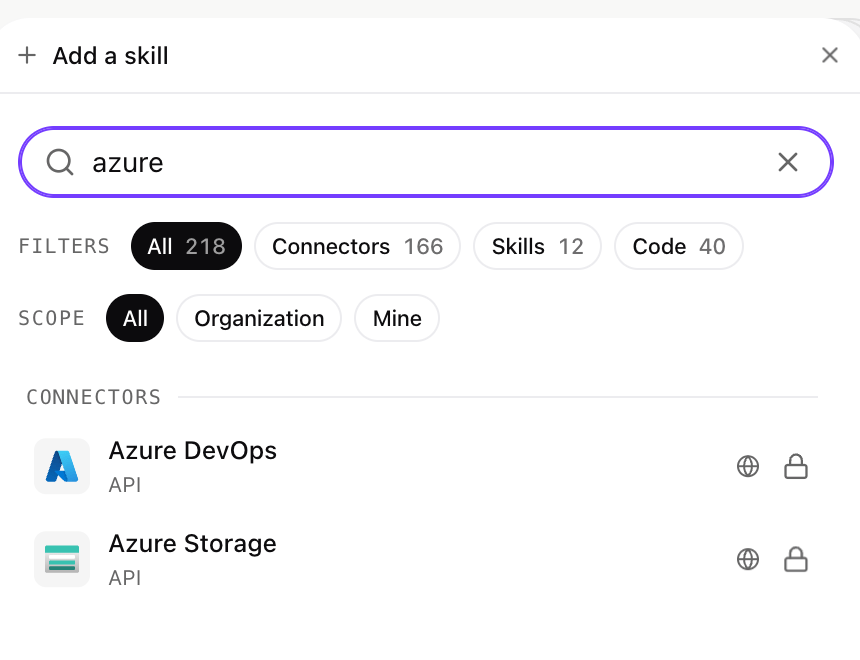
- In chat.xpander.ai, open your agent’s Agent Configuration panel and click Add skill.
- Search for Azure Storage and select it.
- In the connect dialog:
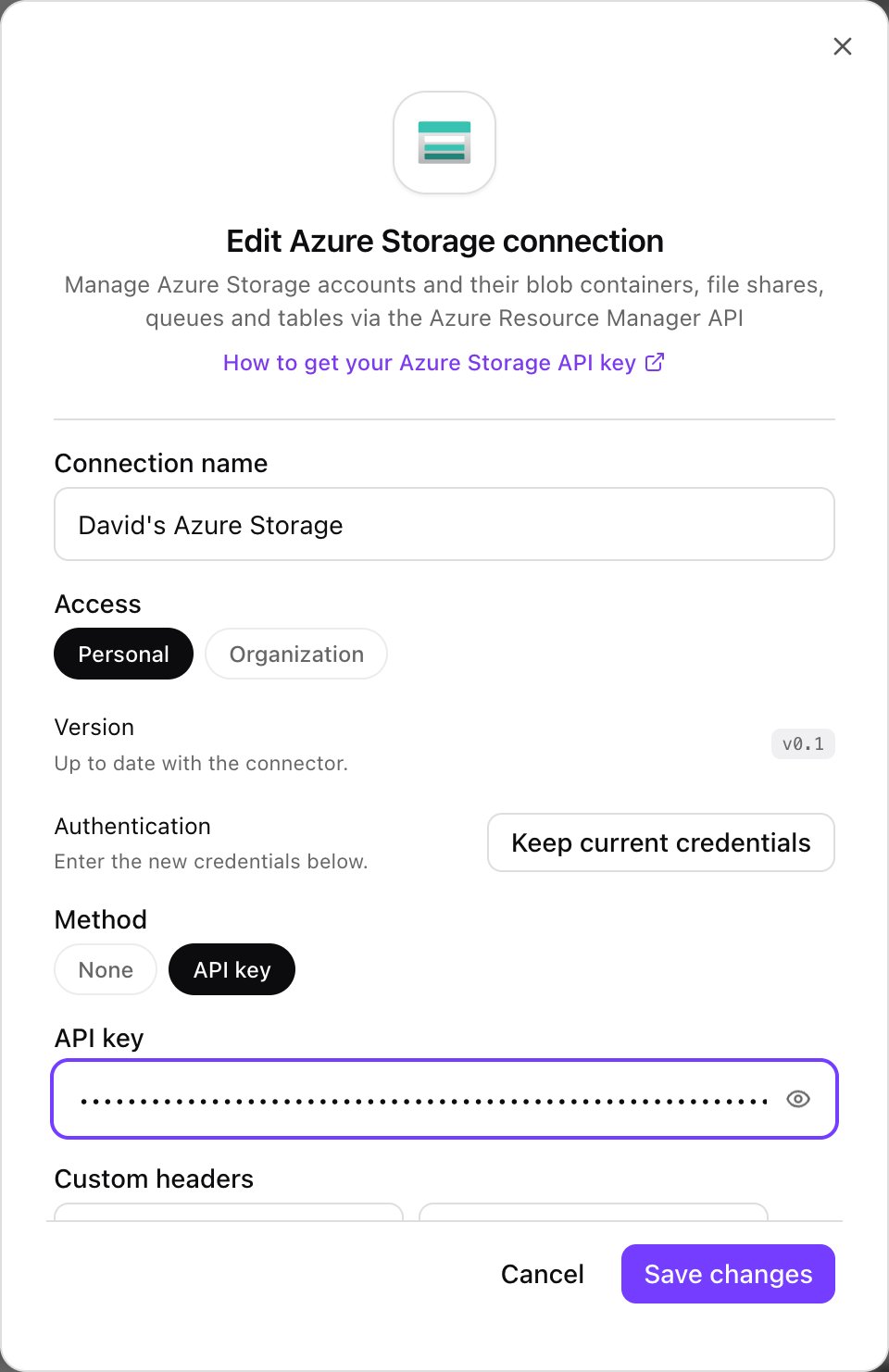
- Enter a connection name, e.g. “My Azure Storage”.
- Choose Personal or Organization access.
- Keep API key as the authentication method.
- Paste the access token from the previous step into the API key field.
- Click Connect (or Save changes when updating an existing connection).
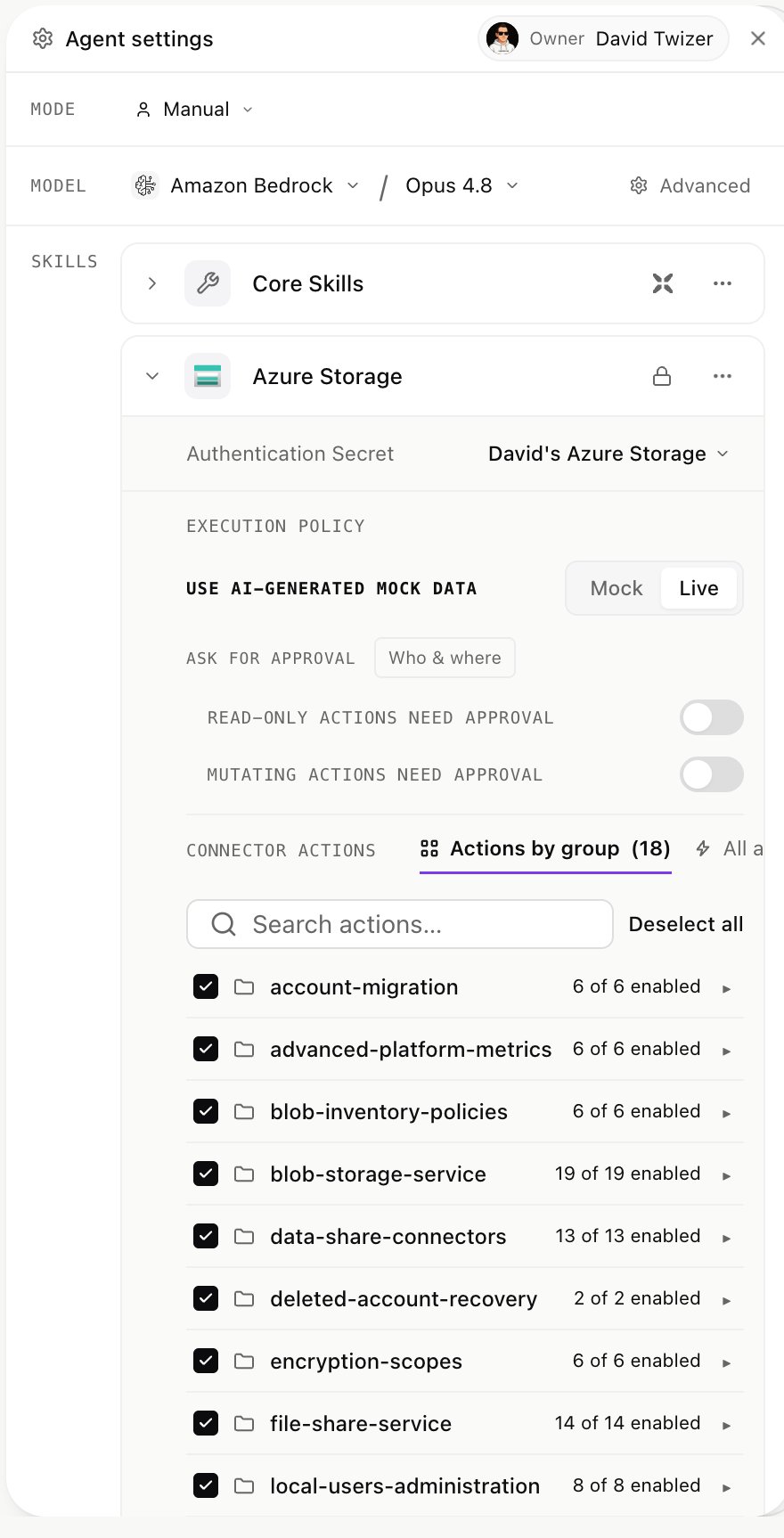
- The skill panel now shows the skill’s 18 action groups (120 operations). Enable only the groups your agent needs, set Mock/Live execution, and configure approval requirements for read-only and mutating actions separately.
Expose path parameters
Most Azure Storage operations take the subscription ID (and often a resource group and storage account name) as path parameters. Agents fill these automatically from the conversation: mention your subscription ID once, or pin it in the agent’s instructions.Integration of Azure Storage into AI Agents
Once connected, agents can run real management workflows, for example:- Inventory & audit: “List every storage account in subscription X and flag any with public network access enabled.”
- Provisioning: “Create a storage account named
acmelogsin resource groupprod, then add a blob containerraw-eventswith a 30-day lifecycle policy.” - Housekeeping: “Find file shares over 80% of quota and extend them by 20%.”