

https://{region}.datadoghq.com, filled in when connecting) and carry the credential the connect dialog asks for.
What the skill can do
API connector: 82 actions, as they appear in the skill panel. 30 of them create, change or delete something in Datadog; mark those under These actions need approval when you add the skill to an agent.- Monitor management (9): Get All Monitors, Search Monitors, Create Monitor, Get Monitor Details, Search Monitor Groups, Validate Monitor, Mute Monitor, Unmute Monitor, Edit Monitor
- Security monitoring (8): Validate API Key, Get List of Security Signals, Get Quick List of Security Signals, Change Triage State for Security Signal, Modify Triage Assignee for Security Signal, Get Rule Details, Get Signal Details, List Security Monitoring Rules
- Incident management (7): List Incidents, Create Incident, Get Incident Details, Search Incidents, Update Incident, List Incident Todos, Create Incident Todo
- Host management (6): Unmute Host, Search Hosts, Get Host by Name, Get Total Active Hosts, Mute Host, Get All Processes
- Metrics management (6): Get Metric Metadata, Search Metrics from Last 24 Hours, Query Timeseries Points, Get List of Metrics, Query Timeseries Across Products, Query Scalar Data Across Products
- Case management (6): Get All Projects, Assign Case, Create Case, Update Case Status, Search Cases, Get Case Details
- Slo management (5): Search Service Level Objectives, Get SLO History, Get SLO Details, Get Corrections for SLO, Get All Service Level Objectives
- Usage metering (5): Get Monthly Usage Attribution, Get Usage Across Account, Get Historical Cost Across Account, Get Estimated Cost Across Account, Get Projected Cost Across Account
- Dashboard management (4): Create New Dashboard, Get Dashboard, Get All Dashboards, Get All Dashboard Lists
- Event service (4): Post Event, Get Event, Get List of Events, Search Events
- Ci visibility (4): Get List of Tests Events, Search Tests Events, Get List of Pipelines Events, Search Pipelines Events
- Logs configuration (3): Get List of Logs, Search Logs, Aggregate Log Events
- Rum service (3): Get List of RUM Events, Search RUM Events, Aggregate RUM Events
- Spans service (3): Search Spans, Aggregate Spans, Get List of Spans
- Audit service (2): Search Audit Logs Events, Get List of Audit Logs Events
- Container management (2): Get All Containers, Get All Container Images
- Service definition (2): Get All Service Definitions, Get Single Service Definition
- Tags management (1): Get Host Tags
- User management (1): Get All Users
- Team management (1): Get All Teams
Authentication Options
- API Access
Generate a Datadog API Key
- Log in to your Datadog account. Make sure you log in to the correct Datadog region for your account.
-
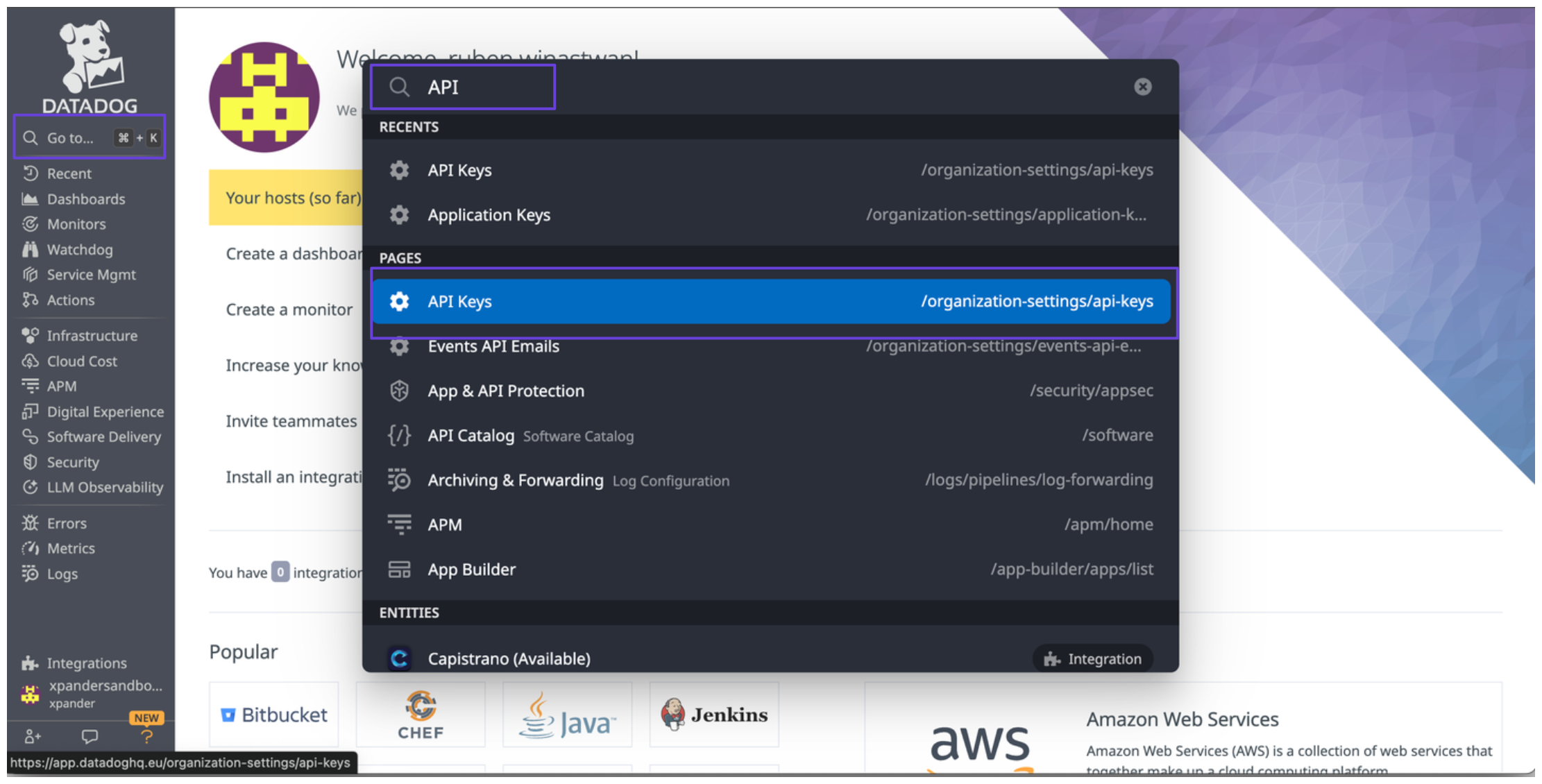
In the sidebar, click on Go to, type API Keys, and select API Keys from the search results.
-
You’ll now see the API keys for your Datadog account.
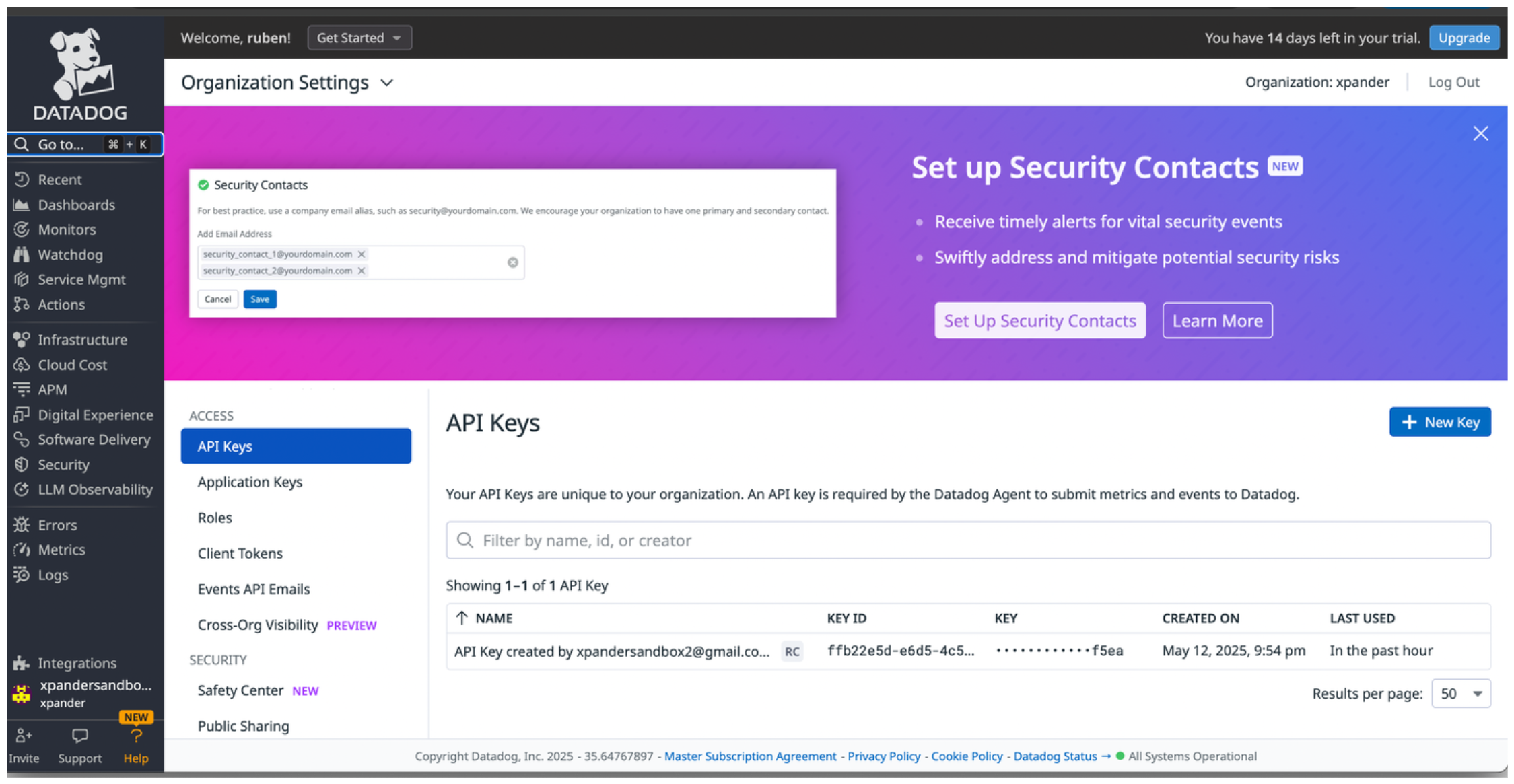
- To access the Datadog API, you’ll also need an application key.
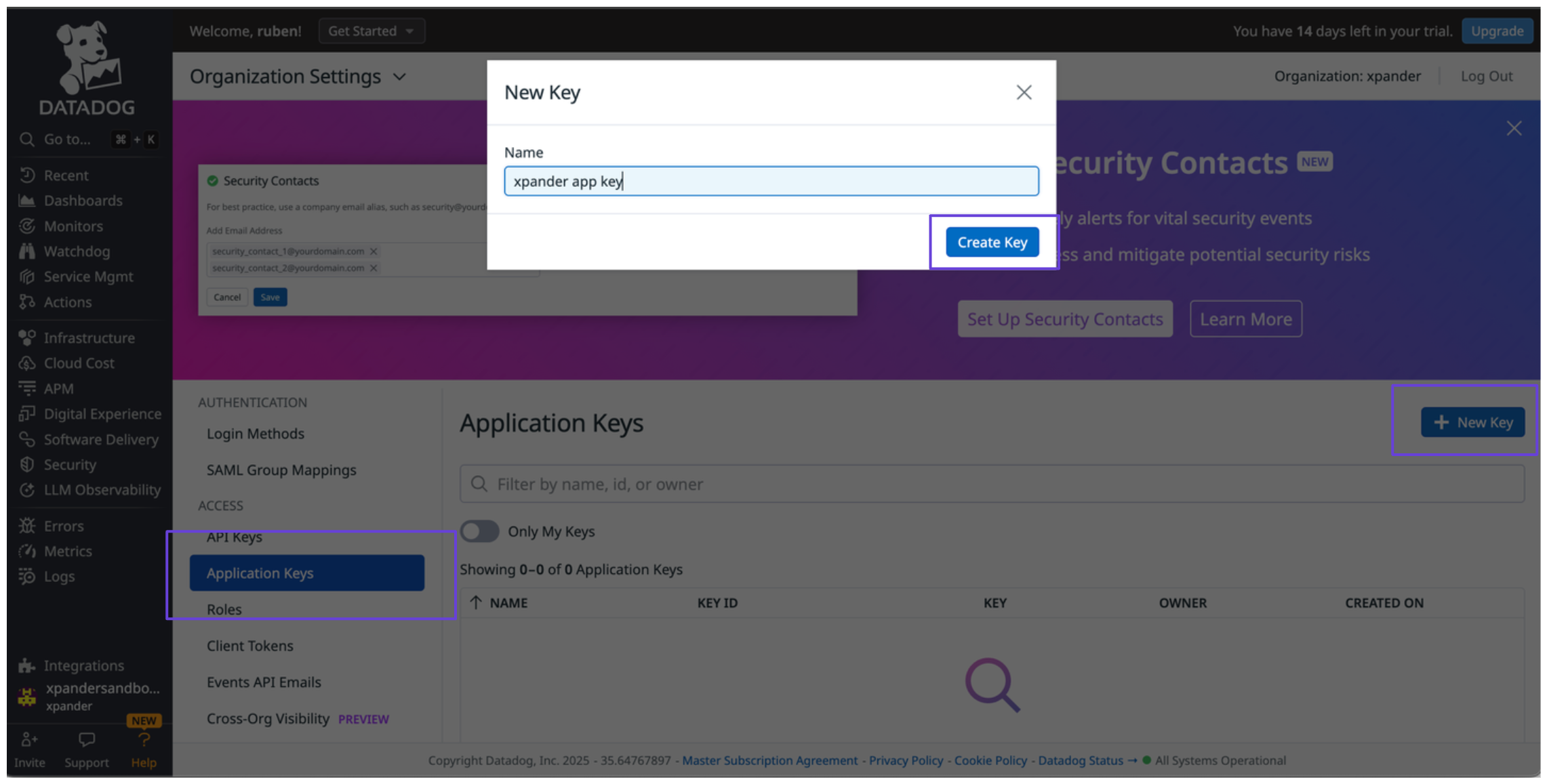
- In the sidebar, click on Application Keys, then click New Key.
-
Give your key a name and assign the necessary scopes based on your use case.
Connect Datadog in xpander
- In Xpander Chat, open the agent’s settings and click Add skill.
- Search for Datadog and select it.
- Enter a connection name, e.g., “xpander-datadog”.
- Choose Organization access (one shared account) or Personal (your own account, so the agent acts with your permissions where systems allow). On an agent other people use, a personal connection runs their requests as you unless the binding requires each person’s own sign-in; see whose credential a shared agent uses.
- Select API Key as the authentication method.
- Paste your Datadog API key into the provided field.
- Set the Type to Custom.
- In the Header name field, enter
DD-API-KEY. - Paste your Datadog application key into the DD-APPLICATION-KEY field.
- Under Interface specific settings, enter the base URL:
https://api.datadoghq.{domain}/, replacing with the domain corresponding to your Datadog account region. - Click Connect.