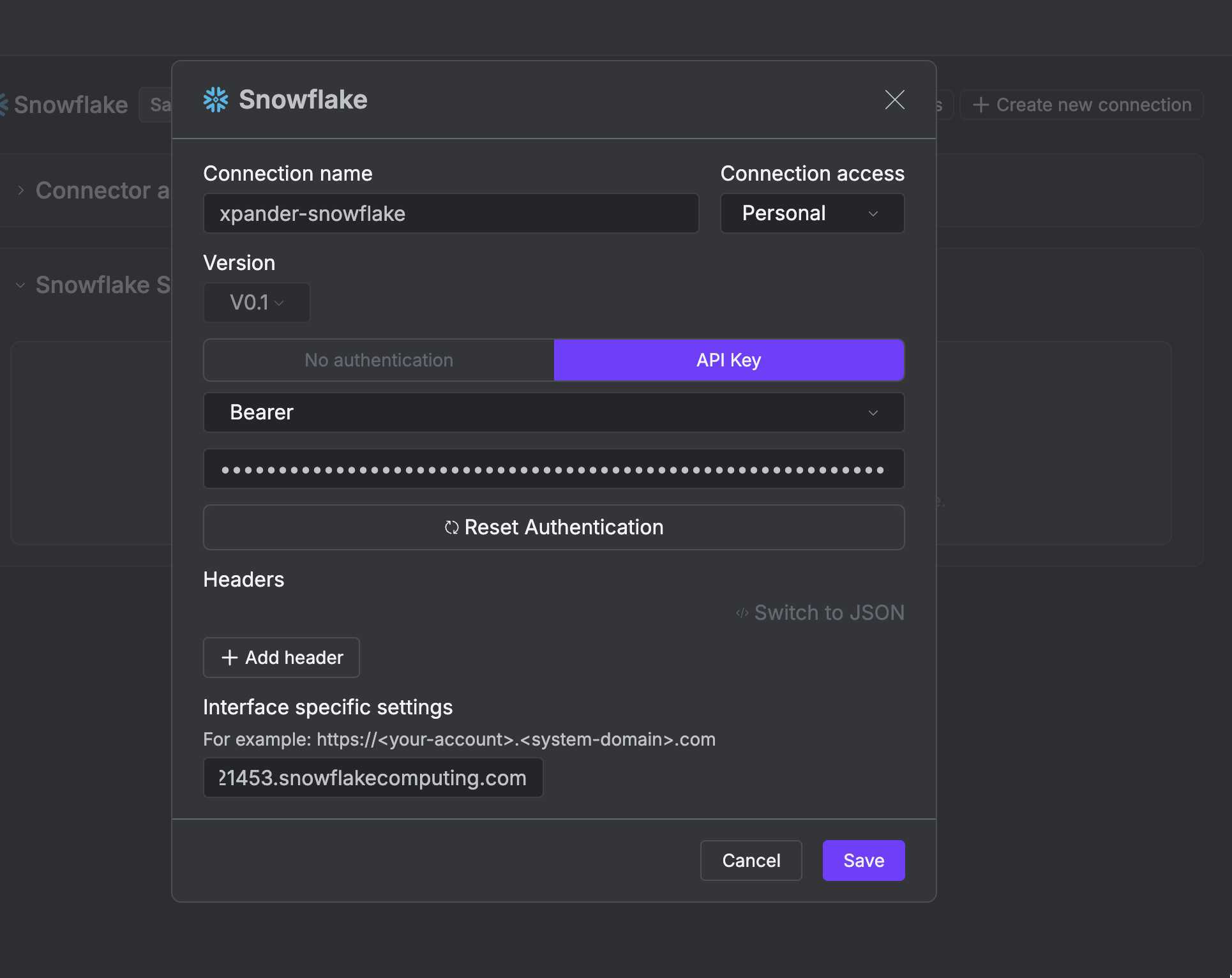
https://{account}.snowflakecomputing.com, filled in when connecting) and carry an API key as a bearer token in the Authorization header.
What the skill can do
API connector: 32 actions, as they appear in the skill panel. 21 of them create, change or delete something in Snowflake; mark those under These actions need approval when you add the skill to an agent.- Data discovery (6): List Tables, Describe Table, List Warehouses, List Databases, List Views, List Schemas
- Object management (6): Undrop Database, Undrop Schema, Undrop Table, Clone Table, Create Database, Create Schema
- Data loading (5): Refresh Pipe, Get Stage File Presigned Url, List Stages, List Stage Files, List Pipes
- Destructive operations (4): Drop Table, Drop Schema, Drop Database, Drop Warehouse
- Task operations (4): List Tasks, Execute Task, Resume Task, Suspend Task
- Warehouse operations (4): Create Warehouse, Resume Warehouse, Suspend Warehouse, Abort All Queries
- Sql statements (3): Execution Submit Statements For Execution, Statement Cancelation Cancel By Statement Handle, Statement Monitoring Get Status By Statement Handle
Authentication Options
- API Access
Generate a Snowflake Programmatic Access Token
- Log in to your Snowflake account.
-
Select Governance & security, then click Users & roles.
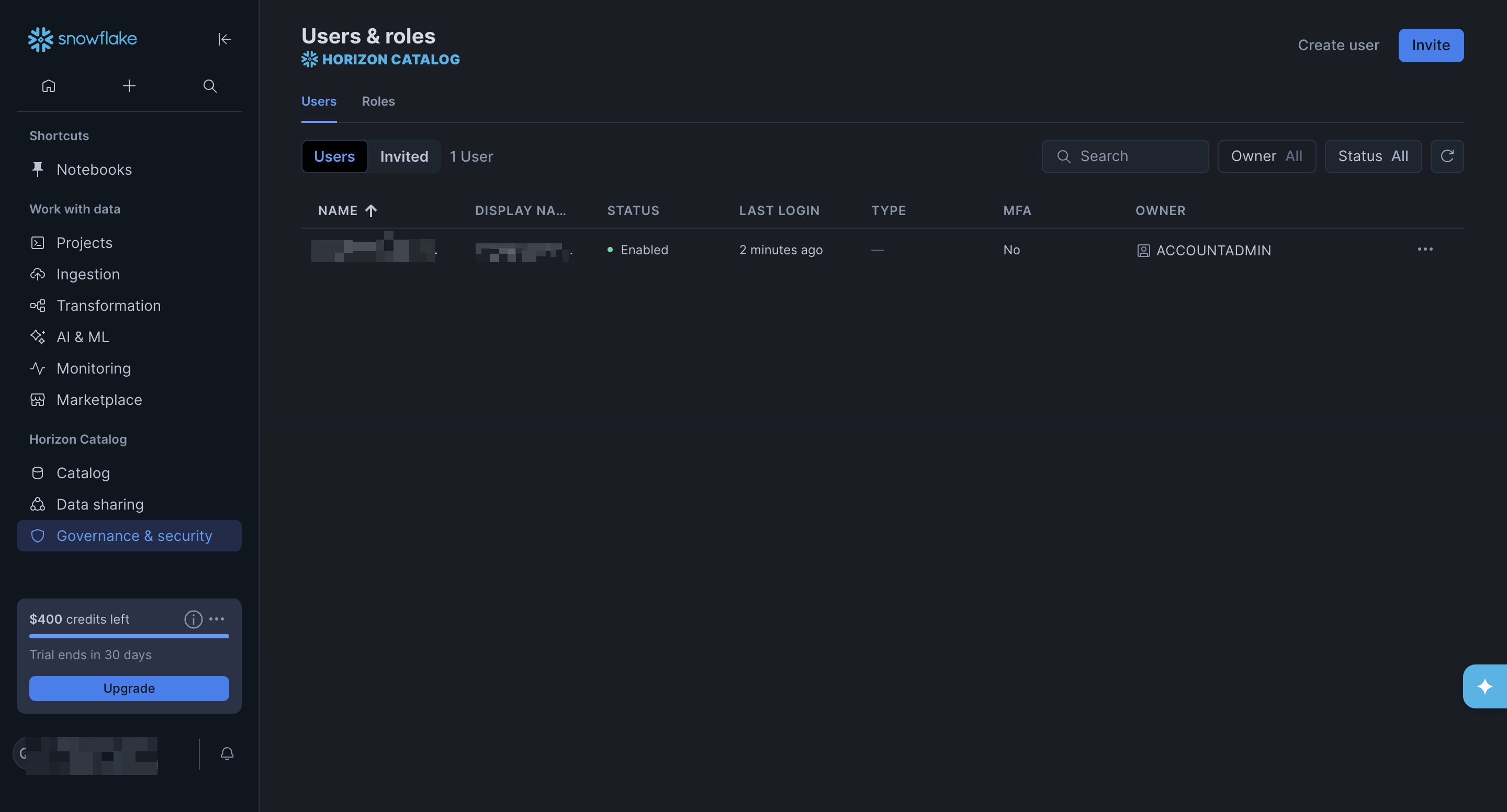
-
Select a user to open the user’s page, scroll down to the Programmatic access tokens section, and click Generate token to open the New programmatic access token dialog.
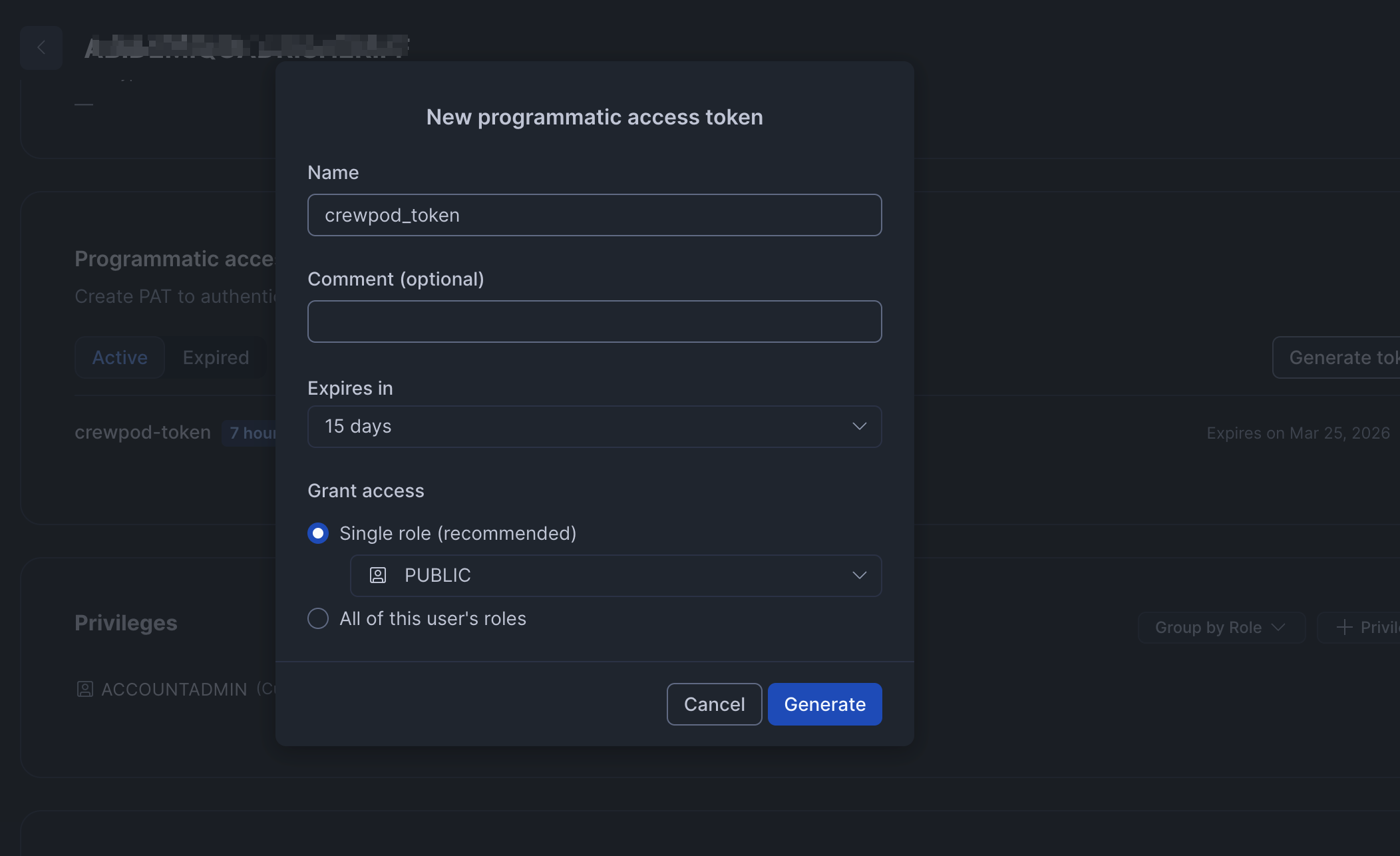
- Enter a name for the new programmatic access token, set the expiry period and role, then click Generate to create the token.
-
A new dialog will appear with the created token. Click Copy to clipboard and close to copy the generated token and store it somewhere safe.
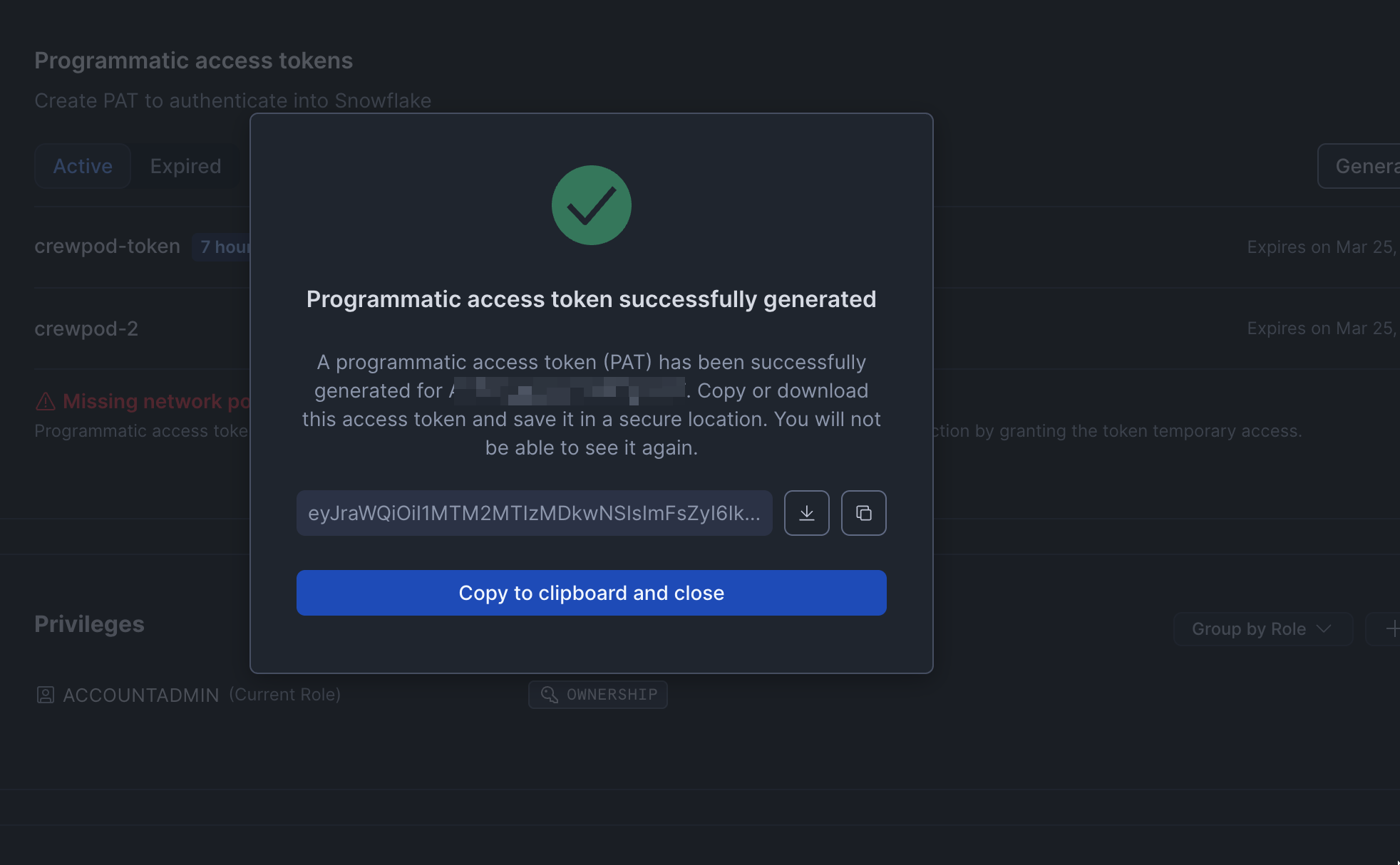
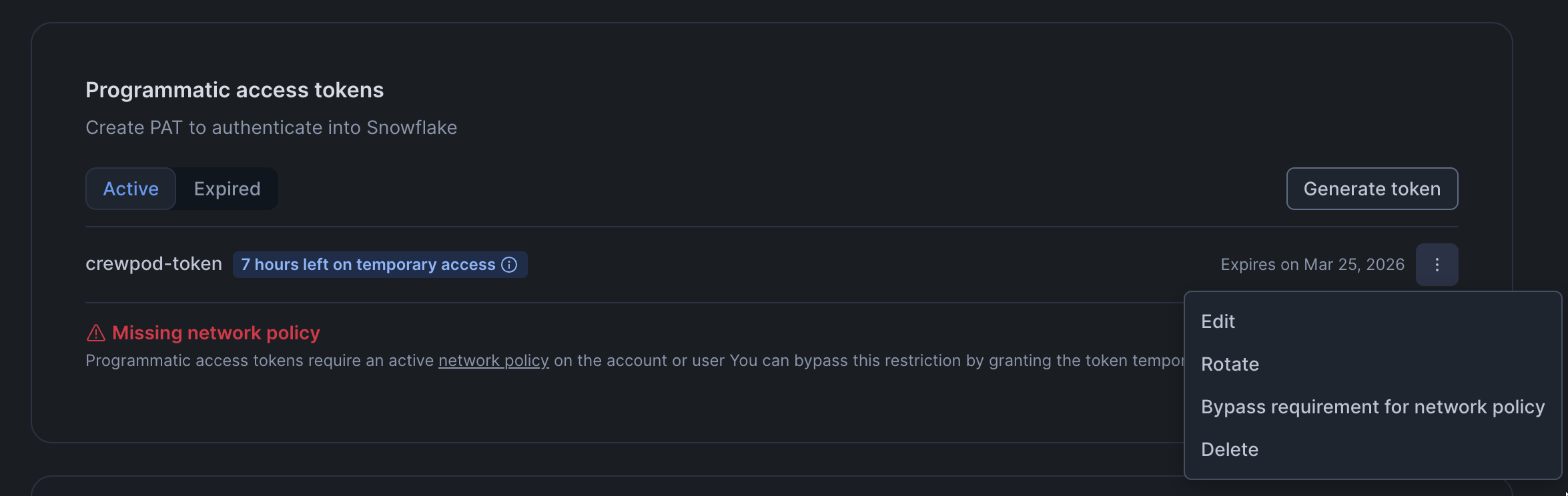
- Click the ellipsis icon next to the programmatic access token
-
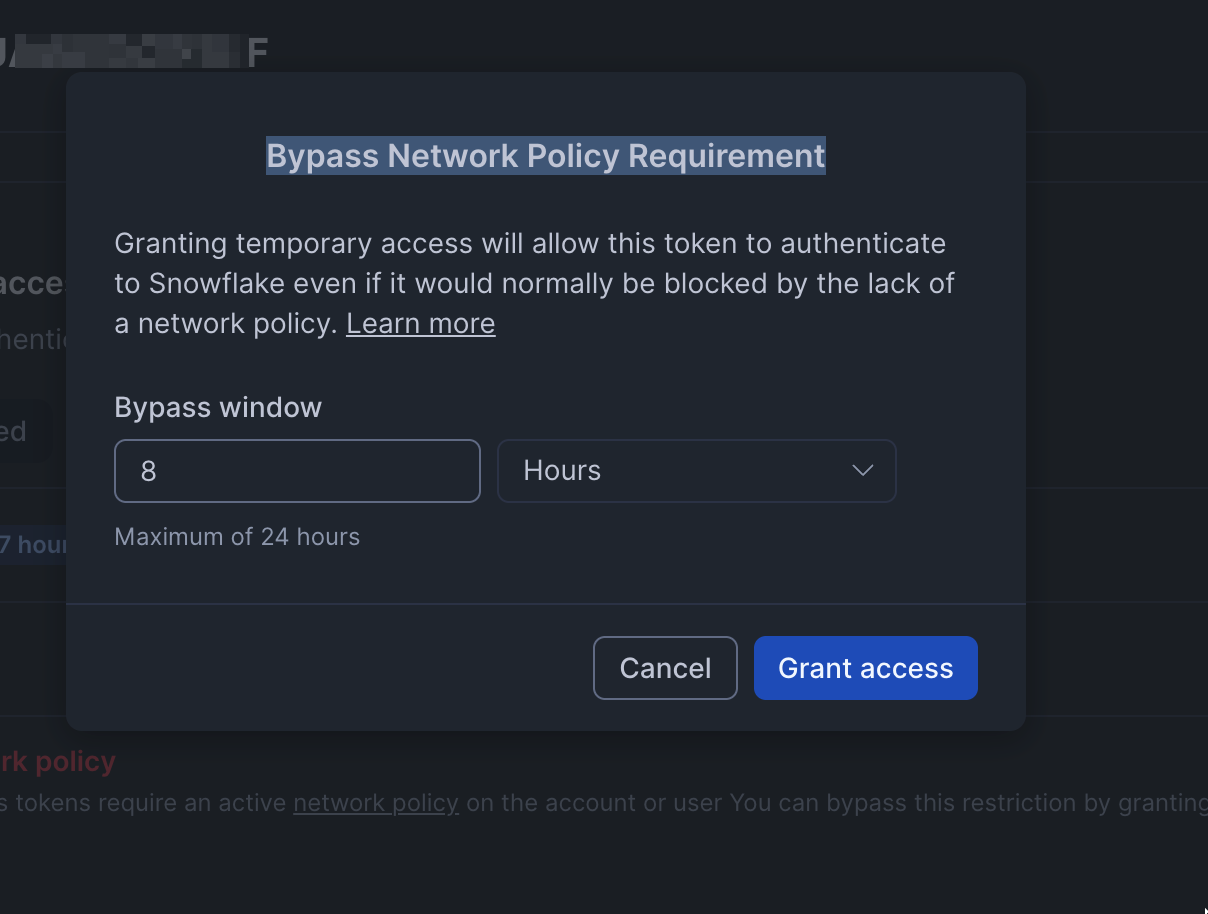
Select Bypass requirement for network policy in the dropdown that appears to open the Bypass Network Policy Requirement dialog.
-
Specify a Bypass window and click Grant access to grant your programmatic access token temporary access.
Connect Snowflake in xpander
- In Xpander Chat, open the agent’s settings and click Add skill.
- Search for Snowflake and select it.
- Click + Create new connection.
- Enter a connection name, e.g., “xpander-snowflake”.
- Paste your Snowflake programmatic access token into the provided API Key field.
-
Copy the base URL from your Snowflake web console, e.g.,
https://<account_identifier>.snowflakecomputing.com, and paste it into the Interface specific settings field. -
Save the configuration.