About Microsoft Outlook
Microsoft Outlook is a cloud-based communication and productivity platform designed to help manage email, calendars, and contacts for individuals and organizations. Key features include:- Email and messaging: Send, receive, organize, and manage email conversations, including attachments, folders, and rules.
- Calendar and scheduling: Manage calendars, meetings, and events with scheduling, availability, and reminder support.
- Contacts and people management: Store and manage contact information and people data across personal and organizational directories.
- Security and compliance: Enterprise-grade security, data protection, retention, and compliance controls across communication data.
Authentication Options
Below are possible authentication options you can choose:- Built-in xpander.ai Auth
The simplest way to connect Microsoft Outlook is by using xpander.ai’s built-in authentication:
- Go to the Connectors section in the sidebar of your xpander.ai dashboard.
- Select Outlook from the available integrations.
- Click + Create new connection.
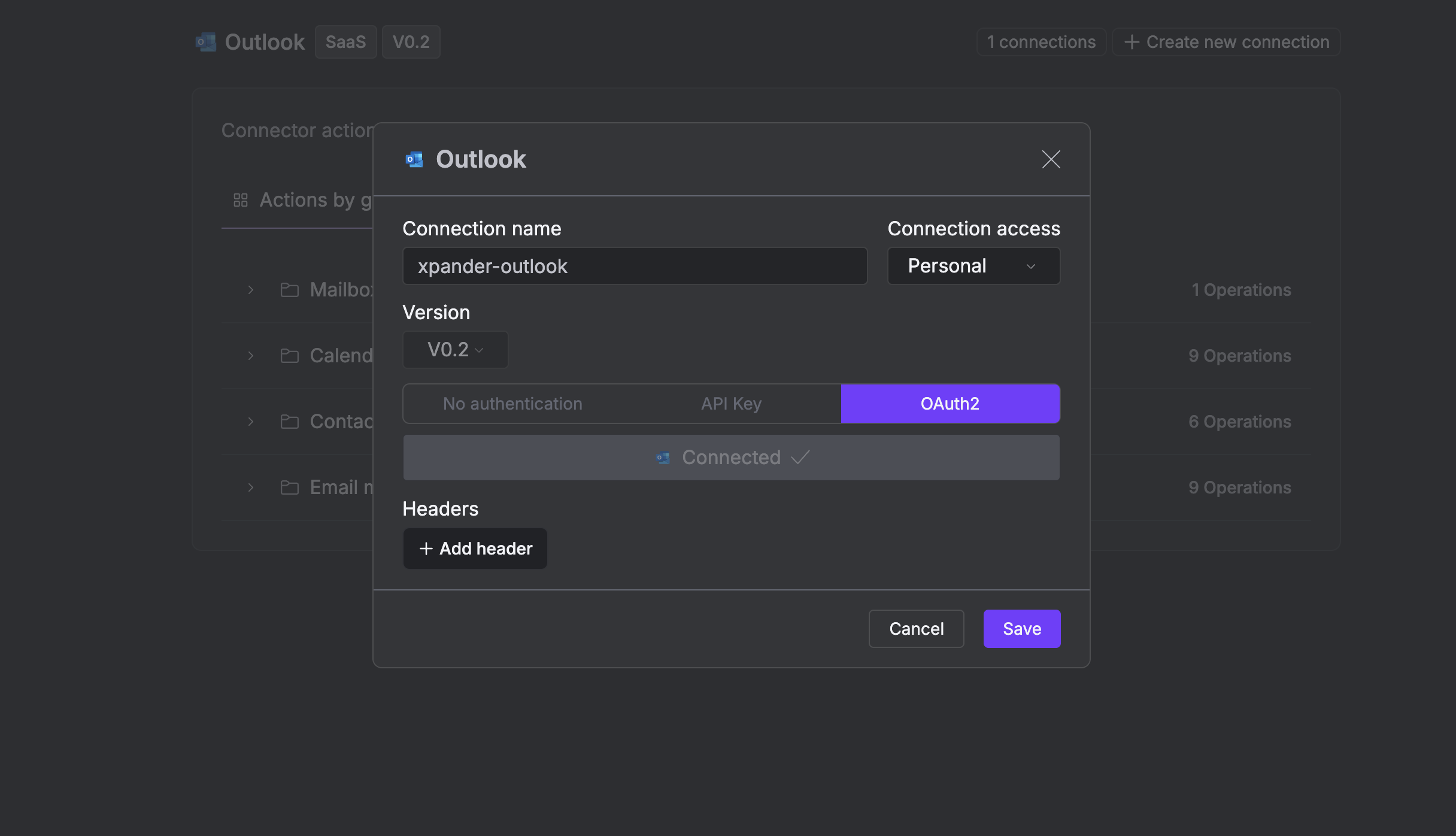
- Enter a connector name as desired, e.g., “xpander-outlook”.
- Choose OAuth2 as the authentication method.
- Click Sign in with Outlook.
- Grant xpander.ai permission to access your account.
-
Save the configuration.
Integration of Microsoft Outlook into an AI Agent
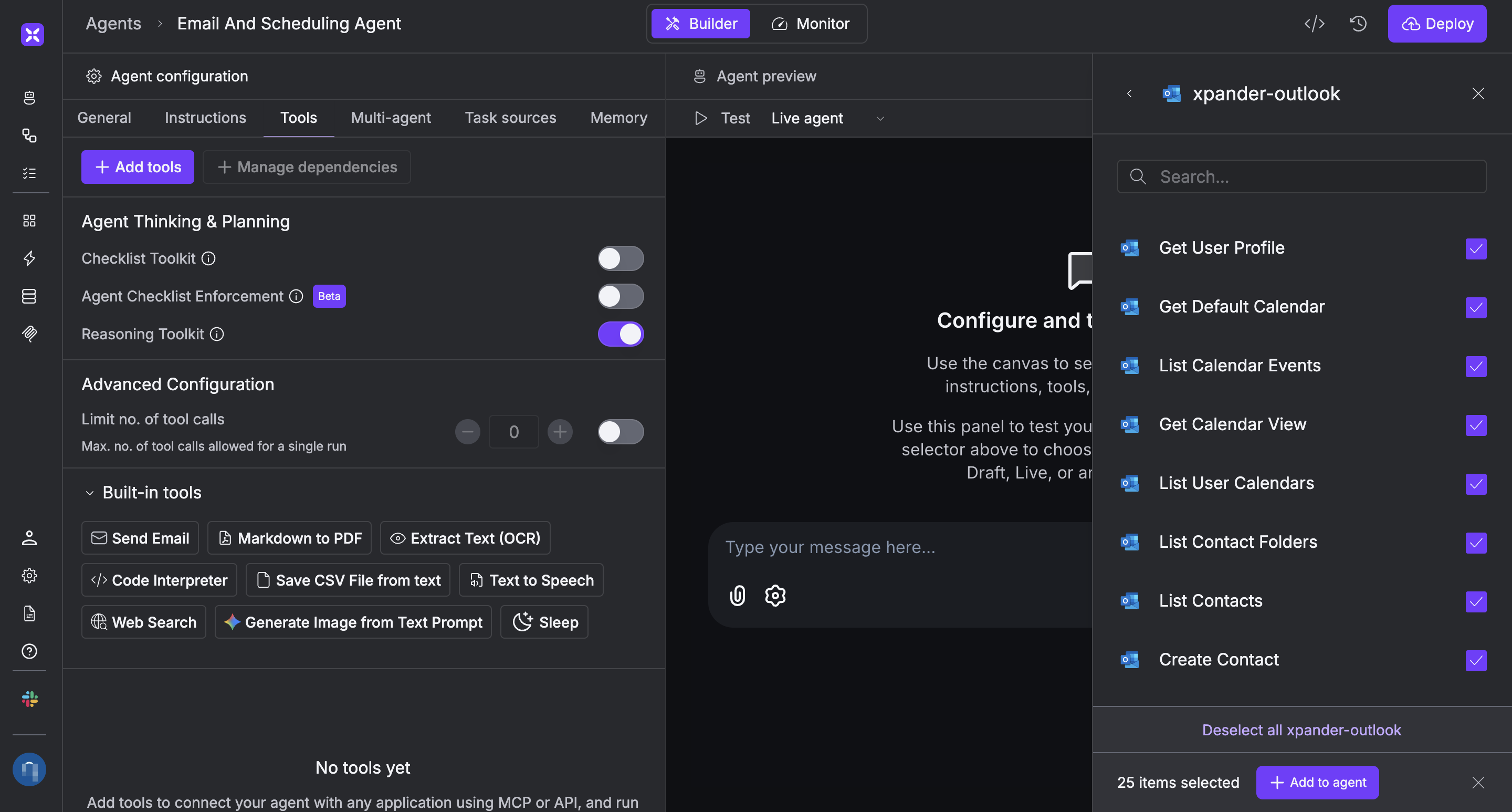
Once you’ve configured your Microsoft Outlook connector with the authentication option described above, you can integrate it into your AI agent with xpander.ai:- In your xpander.ai dashboard, navigate to the Agents page, then click an agent to open the Agent Configuration tab.
- Select Tools, then click Add Tools.
- Select Connectors.
- Choose Outlook with the same connector name you configured in the previous section (e.g., xpander-outlook).
-
Select the available Microsoft Outlook operations that suit your use case.
To grant your agent email management and scheduling capabilities, enable the following operations.
- List Calendar Events
- Create Event
- Update Event Details
- Delete Event
- Create Message
- Send Draft Message
- List User Messages
- Click Deploy to update your agent.
AI Agent Microsoft Outlook Prompt Library
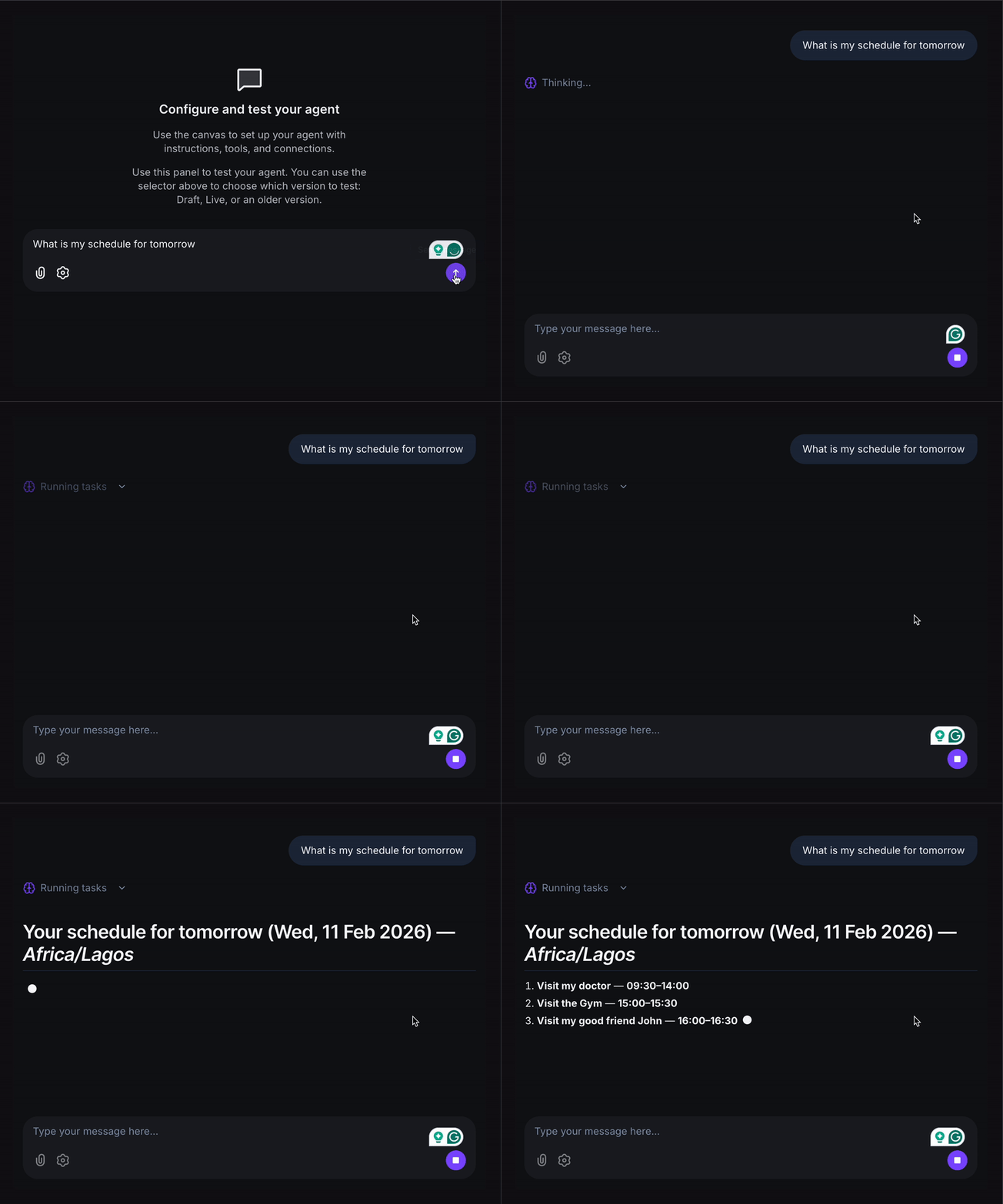
Below are possible prompts or use cases you can try after integrating Microsoft Outlook into your xpander.ai AI agent: