

https://functions.xpander.ai/monday, which fronts the Monday API, and carry the credential the connect dialog asks for.
What the skill can do
API connector: 87 actions, as they appear in the skill panel. 64 of them create, change or delete something in Monday; mark those under These actions need approval when you add the skill to an agent.- User management (15): Get Teams, Remove Users from Board, Get Users, Add Users to Team, Add Users to Workspace, Deactivate Users, Remove Users from Team, Update User Role, Remove Users from Workspace, Update User Attributes, Update Email Domain, Activate Users, Add Users to Board, Invite Users, and 1 more
- Update service (11): Create Item Update, Get Board Updates, Get Item Updates, Clear Item Updates, Edit Update, Get Updates, Delete Update, Unlike Update, Like Update, Unpin Update, Pin Update
- Column management (9): Get Columns, Create Column, Delete Column, Change Column Value, Change Simple Column Value, Get Column Values, Update Column Metadata, Change Column Title, Change Multiple Column Values
- Item management (9): Create Item, Delete Item, Move Item to Board, Move Item to Group, Archive Item, Get Items by Column Values, Get Next Items Page, Get Items Page, Duplicate Item
- Team management (8): Delete Teams from Board, Create Team, Delete Team, Assign Team Owners, Remove Team Owners, Remove Users from Team, Add Teams to Board, Add Users to Team
- Group management (7): Get Boards, Update Group, Archive Group, Get Groups, Create Group, Delete Group, Duplicate Group
- Board management (6): Get Activity Logs, Delete Board, Archive Board, Update Board, Create Board, Duplicate Board
- Doc service (6): Get Documents, Update Document Block, Delete Document Block, Create Document, Get Document Blocks, Create Document Block
- Workspace management (5): Update Workspace, Add Teams to Workspace, Delete Workspace, Delete Teams from Workspace, Create Workspace
- Folder management (4): Create Folder, Delete Folder, Update Folder, Get Folders
- Subitem service (3): Get Items, Get Subitems, Create Subitem
- Asset service (2): Get Assets, Get Item Assets
- Account management (2): Get User Information, Get Account Information
Authentication Options
- API Access
Generate a Monday API Key
- Log in to your Monday account.
-
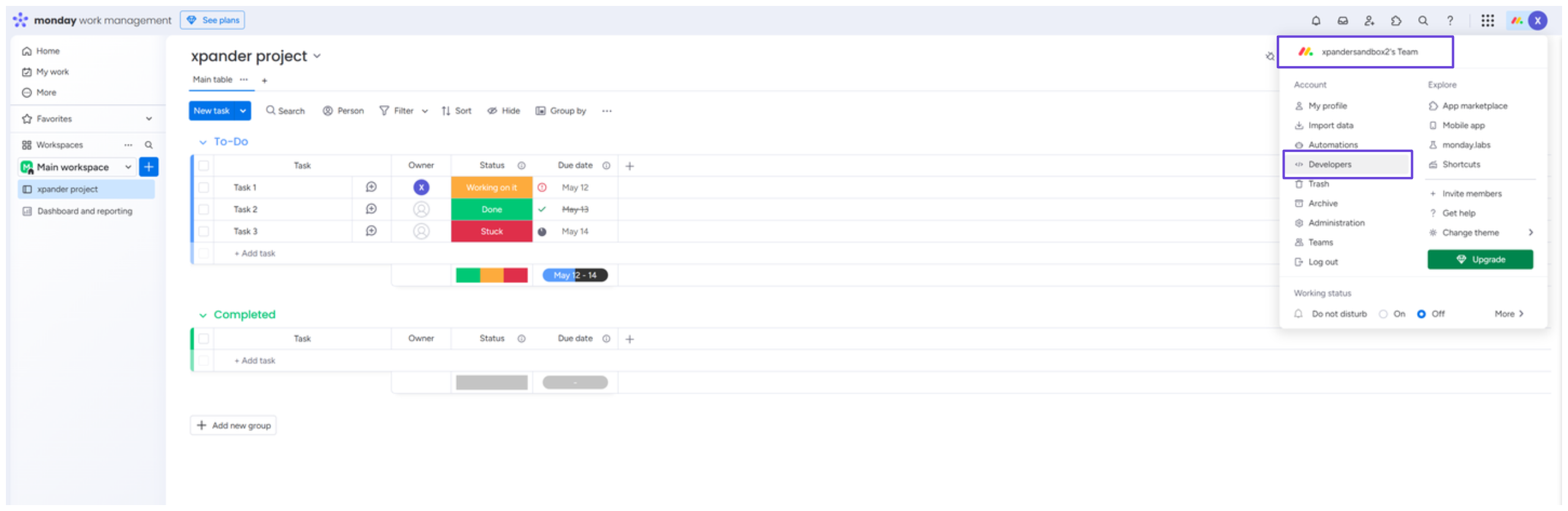
Click your profile icon in the top-right corner, then select Developers.
-
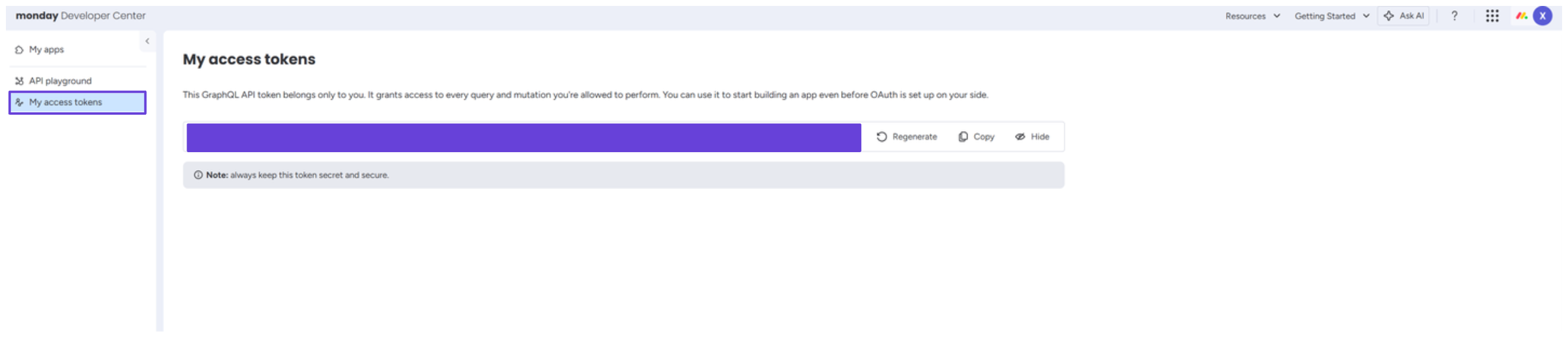
In the sidebar, under the My access tokens section, you’ll find your API key.
Connect Monday in xpander
- In Xpander Chat, open the agent’s settings and click Add skill.
- Search for Monday and select it.
- Enter a connection name, e.g., “xpander-monday”.
- Choose Organization access (one shared account) or Personal (your own account, so the agent acts with your permissions where systems allow). On an agent other people use, a personal connection runs their requests as you unless the binding requires each person’s own sign-in; see whose credential a shared agent uses.
- Choose API Key as the authentication method.
- Paste your Monday API key into the provided field.
- Set the Type to Basic.
- Click Connect.